Hytch Ride
SMS opt-in evidence
Hytch Ride SMS Verification is an authentication-only program. Hytch Ride sends one-time verification codes only when a user requests authentication.
How a user opts in
- Step 1: Open Hytch Rider or Hytch Driver and enter a phone number on the welcome screen.
- Step 2: Read the disclosure displayed directly beside the Send Code control. It explains the program conditions and available messaging commands.
- Step 3: Tap Send Code to request one authentication message. No verification text is sent until the user takes this action.
Disclosure shown next to Send Code
By tapping Send Code, you agree to receive one-time verification texts from Hytch Ride. Message frequency varies. Message and data rates may apply. Reply STOP to opt out or HELP for help. View Terms of Service and Privacy Policy.
Program purpose: user-requested sign-in and account verification only. The disclosure above is the canonical language shown before a user requests a code.
Review the direct Terms of Service and Privacy Policy.
Example verification message
Hytch Ride: Your verification code is 123456. It expires in 5 minutes. Do not share this code. Reply STOP to opt out, HELP for help.
Release-like simulator evidence
These images are release-like simulator evidence, not claims about currently live App Store versions. The mobile source in both installed simulator builds was verified unchanged through the reviewed source commit. 16f1797bc2ae7b9aba3101a33b4cd88075bc14f4. Their build identifiers were read from the installed simulator app bundles.
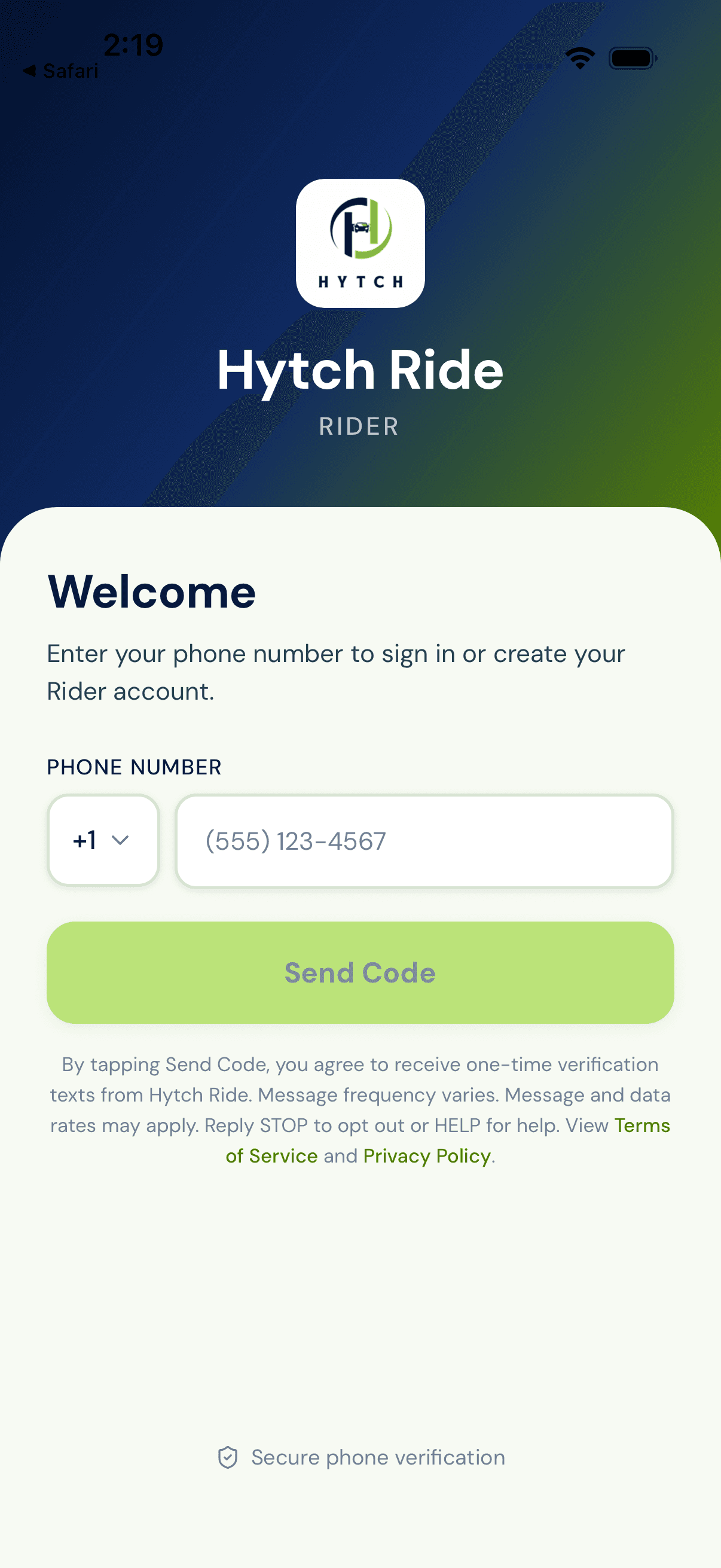
com.hytchride.rider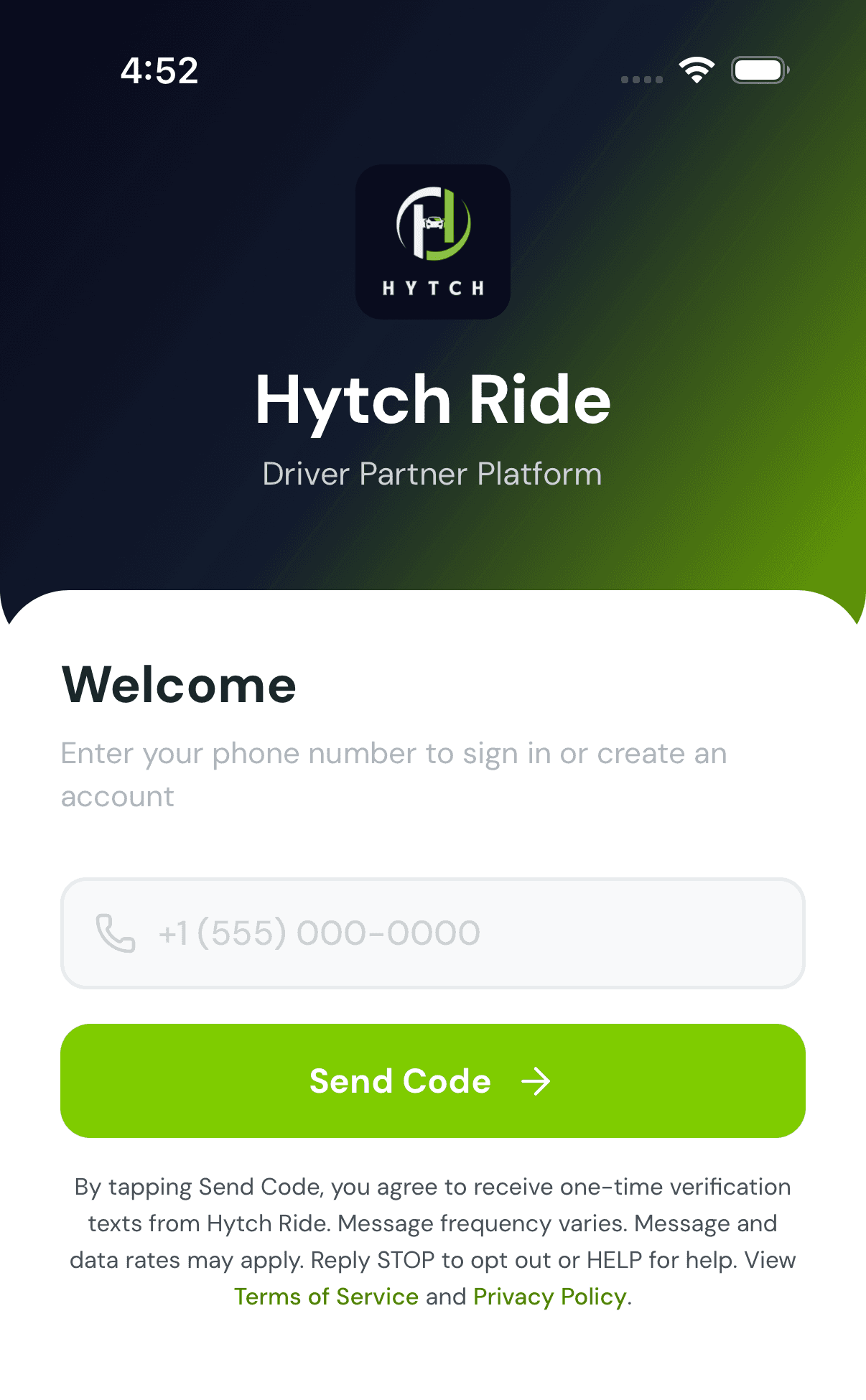
com.hytchride.driverSupport
For SMS verification help, email contact@hytchride.com. Never send a one-time verification code by email.